Tag: AI workflow

  • Content Pipelines Are Infrastructure, Not Marketing Chores

    Content Pipelines Are Infrastructure, Not Marketing Chores

    There is a small lie hidden inside the phrase “creating content.”

    It makes the work sound simple. You have an idea, you write it down, you publish it, and then everyone politely pretends the process was clean.

    That is not how it works.

    At least not for me.

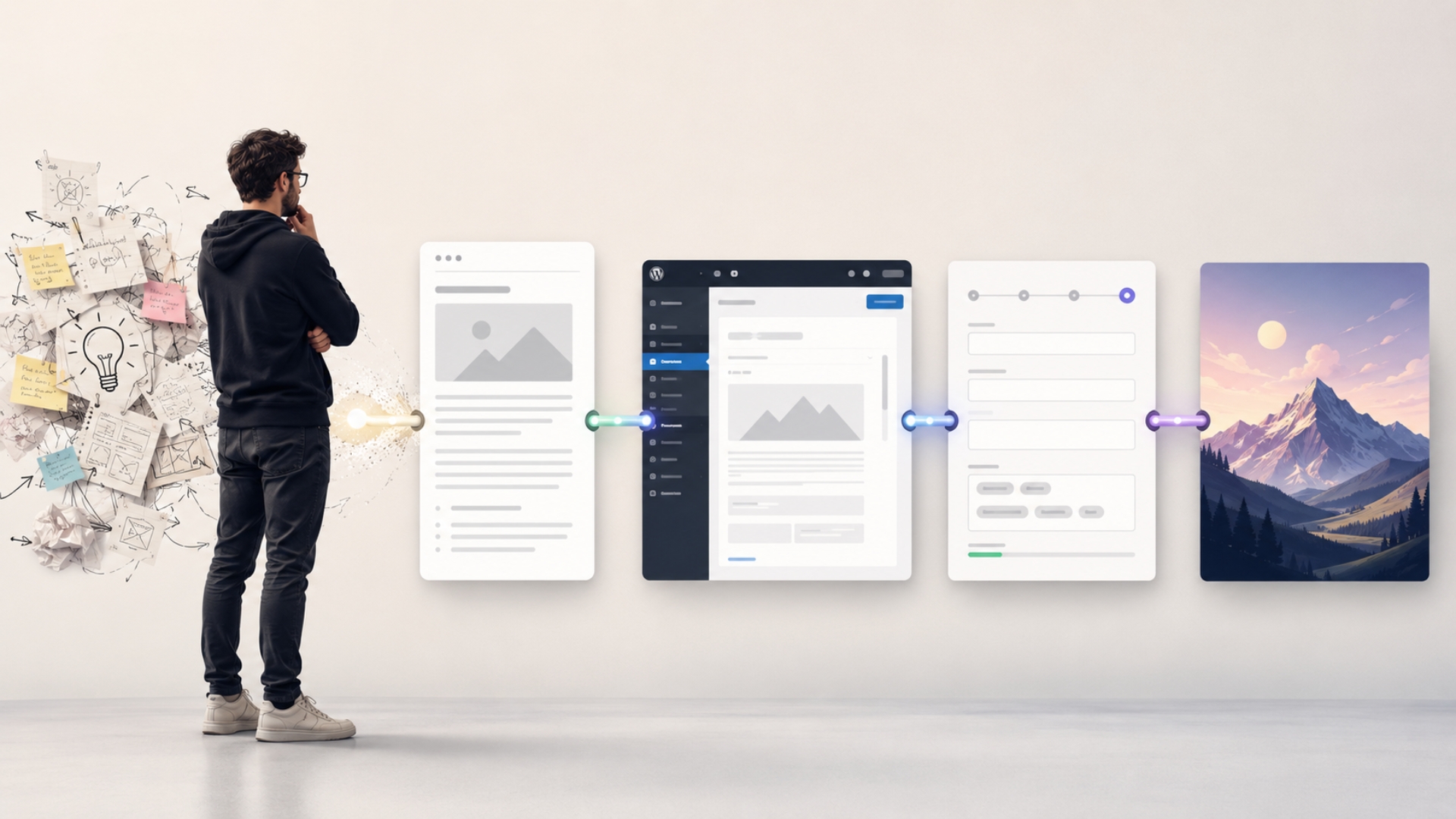
    Writing an article is only one part of the job. Before the article exists, there are messy ideas, unclear angles, missing structure, half-formed opinions, and the usual question of whether this topic is actually useful or just loud inside my head. After the article is written, there is another layer of work: formatting, WordPress cleanup, category selection, tags, SEO fields, excerpts, social metadata, featured image direction, and final publishing.

    None of these tasks are impossible.

    That is exactly why they are dangerous.

    Because each one feels small enough to tolerate. Then you repeat them across multiple posts and suddenly content publishing becomes a recurring operational tax. Not a creative process. Not a strategic habit. Just another manual burden sitting in the corner, waiting to be ignored.

    This is why I have started thinking about content differently.

    For me, a content pipeline is infrastructure.

    It is not a marketing chore.

    Writing fluently is not easy

    There is another part of this topic that I think matters, especially for people who are not native English writers.

    Knowing a language is not the same thing as writing publishable content in that language.

    I know English. I can read it, understand it, communicate in it, and explain technical ideas with it. But writing clean, correct, natural English was never my strongest point.

    Arabic is my native language. English is a working language for me.

    That creates a very specific gap.

    The problem is not that I do not have ideas. The problem is not that I cannot explain what I think. I can organize my thoughts. I can describe my experience. I can make a technical argument. I can tell you what I believe, what I tried, what worked, and what failed.

    But turning all of that into correctly structured English that feels worth publishing is a different skill.

    Grammar matters. Flow matters. Tone matters. Paragraph order matters. The article needs to feel natural, not translated in someone’s head and then pushed into WordPress with brave confidence.

    For a long time, that gap made publishing harder than it needed to be.

    Not because I had nothing to say.

    Because the path from “I know what I mean” to “this is a readable article” was too manual, too slow, and too easy to postpone.

    That is one of the reasons AI became useful in my workflow.

    Not because I wanted it to replace my thinking.

    I wanted it to help me convert my thinking into written English that people can actually read.

    The real work starts before the draft

    My content workflow does not begin with a polished article.

    It begins with rough thinking.

    Sometimes I start with a title. Sometimes I start with one sentence. Sometimes I start with a complaint, which is not the most elegant content strategy, but it has produced some honest articles.

    The important part is that I do not expect the first idea to be ready for publishing.

    I use ChatGPT to pressure the idea first.

    What is the article really about?

    Who is it for?

    Is this a business article, a technical article, or a personal lesson?

    What should be included?

    What should not be included?

    Is there a real point here, or am I just describing a process?

    That stage matters because most ideas feel clearer before you try to structure them. The moment you start organizing them, you discover the missing pieces.

    This is where ChatGPT helps me the most.

    It asks questions. It proposes structure. It helps separate the main argument from supporting points. It helps me avoid writing a scattered post where every paragraph is technically related but nothing is actually moving forward.

    That does not remove my role.

    It sharpens it.

    I still decide what the article should say. I still approve the angle. I still add the personal experience. I still reject phrasing that does not sound like me. But I am no longer staring at a blank page pretending that discipline alone will fix the structure.

    The pipeline gives the thinking a shape.

    A content pipeline is not just automation

    When people hear “pipeline,” they often think of automation in the narrow sense.

    A tool moves content from one place to another. A script formats something. An integration publishes a post. A system fills a few SEO fields.

    That can be part of it, but it is not the whole point.

    A real content pipeline is not only about moving faster. It is about reducing the number of repeated decisions and repeated manual steps between the idea and the published article.

    In my workflow, the pipeline helps with several layers:

    • shaping the raw idea into a clear article angle
    • turning rough notes into a logical outline
    • drafting in clean English
    • keeping the tone close to my actual voice
    • preparing WordPress-ready content
    • suggesting the right category and tags
    • creating Yoast SEO fields
    • writing social titles and descriptions
    • preparing a featured image prompt
    • packaging the final article in a reusable format

    That is not one task.

    That is a publishing system.

    And once you see it that way, the whole thing changes. You stop treating every article as a fresh manual project. You start treating content as an operation that needs structure, standards, and repeatability.

    Not because you want to become a content factory.

    Because you want useful ideas to survive the publishing process.

    WordPress publishing has more friction than people admit

    I like WordPress. I work with WordPress. I build serious things with WordPress.

    But publishing properly in WordPress is not just copying text into an editor and pressing publish.

    At least not if you care about consistency.

    There is the title. The slug. The excerpt. The category. The tags. The formatting. The headings. The internal structure. The SEO title. The meta description. The social preview fields. The featured image. The alt direction. The final check to make sure the post does not look like it was assembled during a small emergency.

    Each step is small.

    That is the trap.

    Small tasks are easy to underestimate because none of them feel worth systemizing on their own. But when every article requires the same cleanup, the same metadata decisions, the same formatting checks, and the same image direction work, the process becomes heavier than it looks.

    This is where a pipeline becomes useful.

    The goal is not to make publishing careless. The goal is to make publishing predictable.

    I do not want to remember the full checklist every time. I want the system to carry the checklist with me.

    SEO should be part of the package, not a separate panic

    SEO is another area where manual work becomes annoying very quickly.

    I do not want to finish writing an article and then start asking separate questions like:

    What should the focus keyphrase be?

    What is the meta description?

    What should appear when this is shared socially?

    What is the X title?

    What is the X description?

    What tags should I use?

    Is this category actually right?

    When those questions are handled at the end as a separate cleanup task, they feel like homework after the real work is finished. And like most homework, they become easy to avoid.

    But when they are part of the content package from the beginning, the process feels different.

    The article is not only drafted. It is prepared for publishing.

    That distinction matters.

    The writing stays natural first. I do not want keyword-stuffed articles that sound like they were written by a committee trapped inside an SEO plugin. But I also do not want to ignore the practical fields needed to publish properly.

    The pipeline helps balance both.

    It keeps the article human while still preparing the operational pieces WordPress and Yoast need.

    The featured image is part of the system too

    There is another piece I include in the pipeline: the featured image prompt.

    I am not a designer. I do not pretend to be one. I can usually tell when something looks wrong, which is useful, but it does not magically make me fluent in design terminology.

    That used to create another publishing bottleneck.

    The article may be ready, but the image still needs a concept. Not a random stock photo. Not a generic laptop with floating icons. Not another person pointing at a transparent screen like they have discovered accounting software for the first time.

    The image needs direction.

    So I use ChatGPT to help translate the article into an image prompt. The prompt usually defines the mood, composition, concept, and visual style. For my blog, I prefer clean editorial conceptual illustrations: modern, professional, technical, calm, and without text inside the image.

    This is a small but important part of the pipeline.

    The article creates the idea.

    The prompt turns that idea into visual direction.

    Then the image model has something useful to work with.

    Again, the goal is not to remove judgment. I still decide whether the visual direction fits the article. But I do not have to invent design language from zero every time.

    That is the point of infrastructure.

    It carries the parts of the work that should not depend on fresh energy every single time.

    Automation does not replace judgment

    This is the part I think needs to be said clearly.

    A content pipeline does not mean I press a button and stop caring.

    That would be a very efficient way to publish bad content.

    The system helps with structure, language, formatting, SEO fields, and image prompts. But it does not decide what I believe. It does not know which experience is safe to mention. It does not automatically understand what should stay private. It does not replace the need to review, correct, remove, adjust, and approve.

    That judgment stays with me.

    I decide the angle.

    I decide the boundaries.

    I decide whether the tone feels right.

    I decide whether a client detail should be generalized.

    I decide whether the post needs a call to action or should simply end with the idea.

    The pipeline reduces friction. It does not remove responsibility.

    And that distinction matters, especially when using AI.

    AI is useful in this workflow because it helps convert raw thinking into structured output. But it is only useful when the human still owns the meaning.

    Otherwise, you are not building a content pipeline.

    You are just generating words.

    There is already enough of that on the internet. No need to contribute aggressively to the landfill.

    This matters for technical founders and creator-operators

    For technical founders, consultants, freelancers, and creator-operators, content is often important but rarely convenient.

    You have ideas. You have lessons. You have experience that could help clients trust you or help peers understand how you think.

    But you also have work to deliver.

    You cannot spend half a day fighting WordPress formatting every time you want to publish one useful article. You cannot rely on motivation to carry every repeated step. You cannot rebuild the same publishing checklist from memory every week and call that a system.

    At some point, consistency requires infrastructure.

    That does not have to mean a complex platform. It can start with a clear workflow, a reusable template, and a reliable way to move from idea to article to WordPress-ready package.

    The important shift is mental.

    Content publishing should not depend entirely on mood, spare time, or the rare magical day when your thoughts are clear, your grammar behaves, and WordPress decides not to test your character.

    A system makes output more repeatable.

    And repeatability is what makes consistency possible.

    The pipeline makes publishing boring in the right way

    I do not want content creation to become lifeless.

    I do want the publishing process to become more boring.

    There is a good kind of boring in operations.

    Boring means the checklist is known.

    Boring means the format is consistent.

    Boring means the SEO fields are not forgotten.

    Boring means the image direction is prepared.

    Boring means the article is packaged properly.

    Boring means I can focus more on the idea and less on the mechanics.

    That is what a good content pipeline does.

    It does not make the thinking automatic. It makes the path from thinking to publishing less fragile.

    For me, that is the real value.

    As a native Arabic speaker writing in English, as a technical person who has ideas but does not want to spend unnecessary time fighting structure and grammar, and as someone who uses WordPress seriously, this workflow turns content from a manual burden into something operational.

    Not effortless.

    Not magical.

    Just systemized.

    And that is enough.

    Because most of the time, the difference between publishing and not publishing is not the absence of ideas.

    It is the absence of a reliable path.

    A content pipeline gives the idea that path.

  • Why ChatGPT Finally Made ClickUp Work the Way I Always Wanted

    Why ChatGPT Finally Made ClickUp Work the Way I Always Wanted

    I have been a ClickUp user for a long time.

    Not in the “I signed up once and created three optimistic lists” way. I mean I have actually used it to manage real tasks, real projects, real clients, and the usual collection of follow-ups that quietly multiply when nobody is watching.

    ClickUp has always been a strong piece of software. It gives you structure. Tasks, lists, comments, statuses, priorities, due dates, custom fields, views, relationships, and enough flexibility to organize work in several different ways.

    But for a long time, I felt there was still a missing layer.

    ClickUp was good at storing the work.

    What I wanted was something that could help me think through the work.

    That is why the ClickUp App for ChatGPT was one of the integrations I had been waiting for. And honestly, it changed the way I use ClickUp. I do not say that lightly. Most “productivity breakthroughs” are just new places to lose old tasks. This one was different.

    With ChatGPT, I can think, plan, question, organize, and prepare the work ahead.

    With ClickUp, I can keep the result structured, traceable, and actionable.

    That combination finally made ClickUp work the way I always wanted.

    ClickUp was already useful, but it was not the whole workflow

    ClickUp is excellent at holding project information.

    It can tell me what tasks exist. It can show me what is open, what is overdue, what is assigned, what is in progress, what is blocked, and what belongs to which project or client.

    That is valuable.

    But when you manage multiple projects as a freelancer or consultant, the hard part is not only keeping a list of tasks. The hard part is understanding what the list means.

    A task list can be technically organized and still mentally exhausting.

    You open a project and see:

    • old tasks that may no longer matter
    • active tasks mixed with backlog items
    • follow-ups buried in comments
    • duplicated ideas in different places
    • tasks whose names no longer match their real status
    • dependencies that are obvious only if you remember last week’s conversation
    • approvals waiting on work that is hidden somewhere else

    ClickUp can store all of that.

    But it does not automatically tell you what deserves attention, what should be closed, what should be merged, what should be renamed, or what should become the next action.

    That is where ChatGPT became useful for me.

    Not as a replacement for ClickUp.

    As the thinking layer on top of it.

    ChatGPT helps me make sense of the work

    The best use of ChatGPT with ClickUp is not “write me a task description.”

    That is useful, but it is not the main value.

    The real value is being able to ask better questions about the work already inside ClickUp.

    Questions like:

    • Which tasks are actually active?
    • Which tasks are stale?
    • Which tasks should be closed?
    • Which tasks are really part of a larger task?
    • Which task should become the master task?
    • What is blocked?
    • What depends on what?
    • What needs a comment instead of a new task?
    • What should I do this week?
    • What should I stop carrying as open work?

    That last one is underrated.

    Many project systems become heavy because we keep old decisions alive as open tasks. The task was relevant three months ago, but the project changed. The client decision changed. The scope changed. The work was delivered in another form. Or the idea was absorbed into a larger phase.

    Without cleanup, ClickUp becomes a museum of unfinished intentions.

    A very organized museum, yes. But still a museum.

    ChatGPT helps me look at the list and ask: is this still real work, or is it just old project noise?

    That single question can make a project feel lighter.

    A real example from my workflow

    Recently, I used ChatGPT with ClickUp to review a project list that had become messy.

    The list had a mix of active operational work, approval-related tasks, future planning items, old backlog tasks, and a few things that were no longer relevant.

    This is exactly the kind of situation that consumes mental energy.

    Nothing was completely broken. The list was not chaos. But it was no longer clean enough to make decisions quickly.

    So instead of manually opening each task and trying to reconstruct the project in my head, I used ChatGPT to help me review the list and discuss what needed to happen.

    The process was not “AI, go manage my project.”

    That would be a terrible idea, and also a good way to create a new category of regret.

    The process was controlled.

    First, ChatGPT helped identify what we needed to discuss. Then we separated active work from stale work. Then we reviewed which tasks should be closed, which tasks should be renamed, which tasks should be consolidated, and which tasks needed follow-up comments.

    Some tasks were closed because they had already been delivered.

    Some were closed because the original plan was no longer relevant.

    Some were moved into a larger planning task because they were no longer standalone work.

    One task was repurposed into a future offering task, with a clear list of items that should be discussed in the next phase.

    Another task became the master task for formal approvals and data freezing. Instead of scattering the logic across several places, we clarified the approval tracks, blockers, dependencies, and next actions.

    This is the kind of project-management work that is important but easy to postpone because it feels like “admin.”

    It is not admin.

    It is operational clarity.

    The value is controlled assistance, not blind automation

    I am very positive about this integration, but I am not interested in turning project management into a slot machine.

    I do not want AI randomly closing tasks, renaming things, changing priorities, or creating new work without me understanding the logic.

    The best workflow is not full automation.

    The best workflow is controlled assistance.

    ChatGPT can read, analyze, summarize, suggest, draft, and organize. But I still decide.

    That distinction matters.

    In the example I mentioned, I did not ask ChatGPT to immediately change everything. I asked it to help me understand the list first. We discussed what should happen before making changes.

    Then, once the direction was clear, it helped execute specific actions:

    • add closing notes
    • close obsolete tasks
    • rename tasks whose meaning had changed
    • update descriptions
    • add comments
    • create follow-up tasks
    • identify blockers
    • preserve dependencies
    • keep the master task updated through comments

    That is the workflow I trust.

    Think first.

    Act second.

    Document the decision.

    Then keep the structure clean.

    This is also why ClickUp remains the source of truth. ChatGPT helps me reason about the work, but ClickUp is where the structured record lives.

    Good comments become project memory

    One thing I appreciate more now is the value of good task comments.

    A task comment is not just a quick update.

    In consulting work, it often becomes project memory.

    A useful comment should explain:

    • what happened
    • what was decided
    • why the task was closed
    • what changed
    • what is blocked
    • what the next action is
    • what should happen after this task is completed

    This matters because I rarely have the luxury of working on only one thing at a time. A few days later, I may return to a project and need to understand exactly where things stopped.

    A vague comment like:

    Done.

    is not helpful.

    A better comment explains the decision:

    This task is being closed because its scope has been included in the larger next-phase planning task. Future discussion and implementation should continue there.

    That is not fancy writing. That is future-you protection.

    And future-you deserves some mercy.

    With ChatGPT, turning rough context into a clear ClickUp comment becomes much easier. I can explain the situation naturally, then ask it to prepare a professional update that fits the task.

    That helps keep the project readable.

    Not only for me, but also for clients, collaborators, and anyone who needs to understand the history later.

    Better task names reduce future confusion

    The same applies to task names.

    A task name should describe the current work, not the memory of what the work used to be.

    In real projects, tasks evolve. A task may start as research, then become implementation. A planning task may turn into an offer. A general integration task may narrow into one specific setup step.

    If the task name does not change, the list becomes misleading.

    That is a small problem at first.

    Then one day you are staring at a task and thinking, “What is this actually about?”

    ChatGPT helps me notice those moments. It can look at the comments, the current status, and the remaining work, then suggest a better name.

    That sounds simple, but it improves the quality of the whole workspace.

    Clear task names make ClickUp easier to scan. They reduce the time needed to understand the project. They also prevent old assumptions from staying attached to new work.

    A good task name is not decoration.

    It is part of the system.

    ChatGPT helps me decide whether something is a task, a comment, or a dependency

    This is one of the most practical improvements in my workflow.

    Not every update deserves a new task.

    Sometimes the right action is a comment.

    Sometimes it is a subtask.

    Sometimes it is a new task.

    Sometimes it belongs inside a master task.

    Sometimes it should be closed because it has already been absorbed into another piece of work.

    Before using ChatGPT with ClickUp, deciding this took more mental effort than it should. Not because the decision is extremely complex, but because these small decisions happen all day.

    And small decisions create load.

    Now I can describe the situation and ask ChatGPT to help classify it.

    For example:

    • If the item needs separate ownership, tracking, or a due date, it probably deserves a task.
    • If it only explains progress, it should probably be a comment.
    • If it blocks another task, it should be recorded as a dependency or at least clearly mentioned.
    • If it changes the meaning of the task, the task name or description may need updating.
    • If it belongs to a larger phase, it should not remain as a disconnected standalone item.

    This is where ChatGPT becomes very useful.

    It does not only help me write.

    It helps me decide where information belongs.

    And in project management, where information belongs is half the battle.

    The other half is convincing yourself not to create five more lists.

    The integration reduces mental load

    The biggest benefit is not that I save a few minutes writing a comment.

    That is nice, but it is not the main point.

    The real benefit is mental clarity.

    When you are a freelancer or consultant, you are often switching between client communication, technical work, planning, support, proposals, follow-ups, and delivery.

    The work itself is not always the hardest part.

    The hard part is keeping the whole picture in your head.

    What is urgent?

    What is blocked?

    What is waiting for the client?

    What did we already decide?

    What should be closed?

    What should be prepared for next week?

    What did I promise to follow up on?

    What is important but not loud yet?

    ClickUp helps store the answers.

    ChatGPT helps me reach the answers faster.

    Together, they reduce the feeling that I need to mentally carry every open loop at the same time.

    That is a serious improvement.

    Because once the work is clearer, I can focus on doing it instead of constantly reorganizing it in my head.

    This made ClickUp more valuable to me

    The ClickUp App for ChatGPT made me appreciate ClickUp more, not less.

    That may sound strange, but it makes sense.

    When a tool becomes easier to reason with, it becomes easier to use properly.

    Before, ClickUp was where I stored structured work. Now, with ChatGPT connected, it becomes part of a larger thinking and execution workflow.

    I can start with a messy situation.

    I can discuss it.

    I can clarify it.

    I can decide what should happen.

    Then I can turn those decisions into structured tasks, comments, descriptions, and follow-ups inside ClickUp.

    That is the workflow I wanted for a long time.

    Not because I want project management to be more complicated.

    The opposite.

    I want the structure to support the work instead of becoming another layer of work.

    Final thought

    For me, ChatGPT and ClickUp now play two different but complementary roles.

    ChatGPT helps me think.

    ClickUp helps me keep the work under control.

    That combination is powerful for freelancers and consultants because our work is rarely clean by default. Projects change. Clients respond late. Priorities move. Tasks become outdated. Decisions hide inside conversations. Follow-ups appear from calls, emails, and quick messages.

    A good project system should help absorb all of that without becoming a mess.

    ClickUp was already a strong system for organizing work. But with ChatGPT connected to it, it finally became much closer to the way I naturally want to manage projects: think clearly first, then structure the work properly.

    And yes, if you manage serious client work and you have not tried ClickUp yet, I do recommend giving it a real try.

    Not a five-minute “I created a list and forgot it exists” try.

    A real try.

    Use it to manage a live project. Put the tasks there. Add the comments. Track the follow-ups. Keep the decisions visible. Then, if you use ChatGPT, connect the two and see how much easier it becomes to reason about the work.

    ClickUp is a great piece of software.

    With ChatGPT, it became one of the few tools that actually fits the way I want to work.